Track dense cells from maps
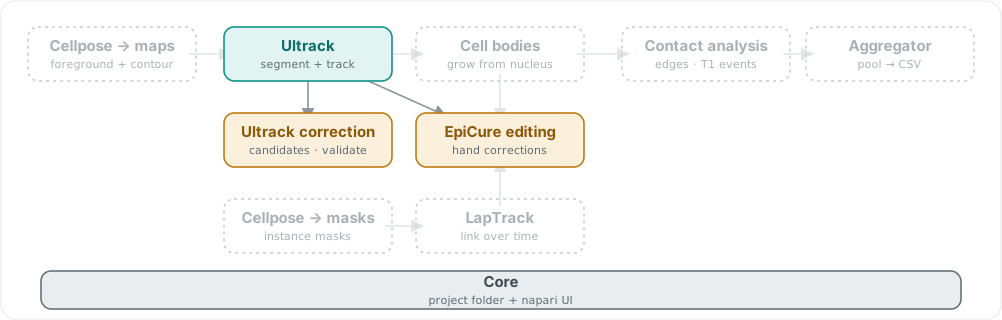
itasc-tracking ships the Ultrack nucleus tracker and both its correction tools, on the shared Core. It consumes the foreground and contour maps you supply. Solid chips are shipped; dashed are the rest of the family.
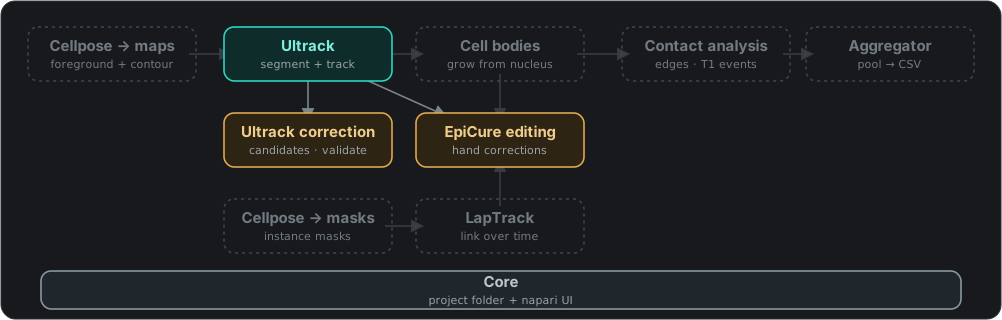
itasc-tracking ships the Ultrack nucleus tracker and both its correction tools, on the shared Core. It consumes the foreground and contour maps you supply. Solid chips are shipped; dashed are the rest of the family.
itasc-tracking is the nucleus tracking stage on its own, run inside the napari
viewer. It takes the foreground and contour maps Cellpose produced and turns them
into tracked, correctable nucleus labels, using the
Ultrack solver. Reach for it when you
already have those maps and want tracks without the full pipeline’s project
folder.
This is Stage 2 of the full app, lifted out on its own. Everything it does, from atom extraction through the solve to the correction pass, works exactly as it does there, so that page is the explanation: read it for what each button does and how to correct the tracks.
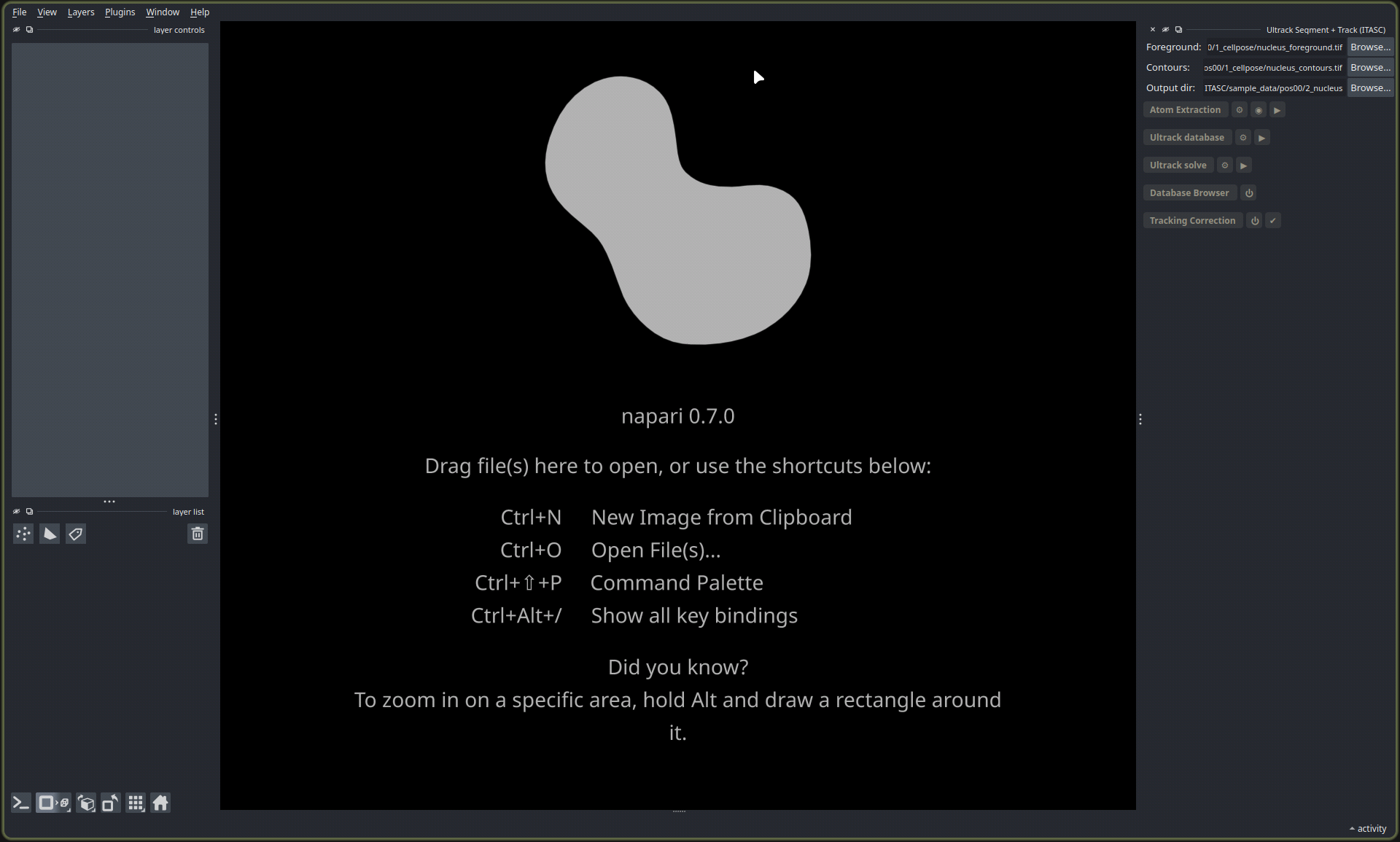
The Ultrack Segment + Track panel. The three fields point it at the two input maps and the folder for its results; the buttons below run the stages top to bottom.
The one difference
The full app reads and writes through a project folder, one position at a time. This tool takes files instead: point Foreground at the foreground map, Contours at the contour map, and Output dir at a folder for the results (it defaults to the foreground file’s folder). The two inputs can have any name and live anywhere. Run the stages top to bottom, correct the tracks, and the results land in the output folder.
Install
pip install "itasc-tracking[solve]"
The [solve] extra adds the Ultrack solver, imported only when you build the database
or solve; correction-only use does not need it. To run it as a napari app instead of
installing into your own environment, the
install guide sets up napari
and the tool together.
For scripting
The headless backend lives under itasc.tracking_ultrack (atoms, database, linking,
solving, export, correction) and itasc.correction (label edits), Qt-free and importable
without the full app. The
full-app guide covers the
pipeline this stage sits in.